Schedule Pinterest pins weeks ahead, all from one calendar
PostPilot is a Pinterest scheduler for bloggers, shops and creators. Plan pins on a calendar, bulk schedule from a CSV, post to several boards at once, and see which pins actually bring clicks.
Sign in with your Pinterest account. Nothing to install, no card needed.
From empty board to a full month of pins
Most people have their first week scheduled within ten minutes.
Connect Pinterest
Sign in with Pinterest and approve access. Your boards load straight away.
Pick posting times
Choose when pins should go out on each day, for example 9am, 1:30pm and 7pm.
Add your pins
Create one at a time, upload images, import a blog post or drop in a CSV.
PostPilot publishes
Each pin goes live on its board at its time. You get on with your week.
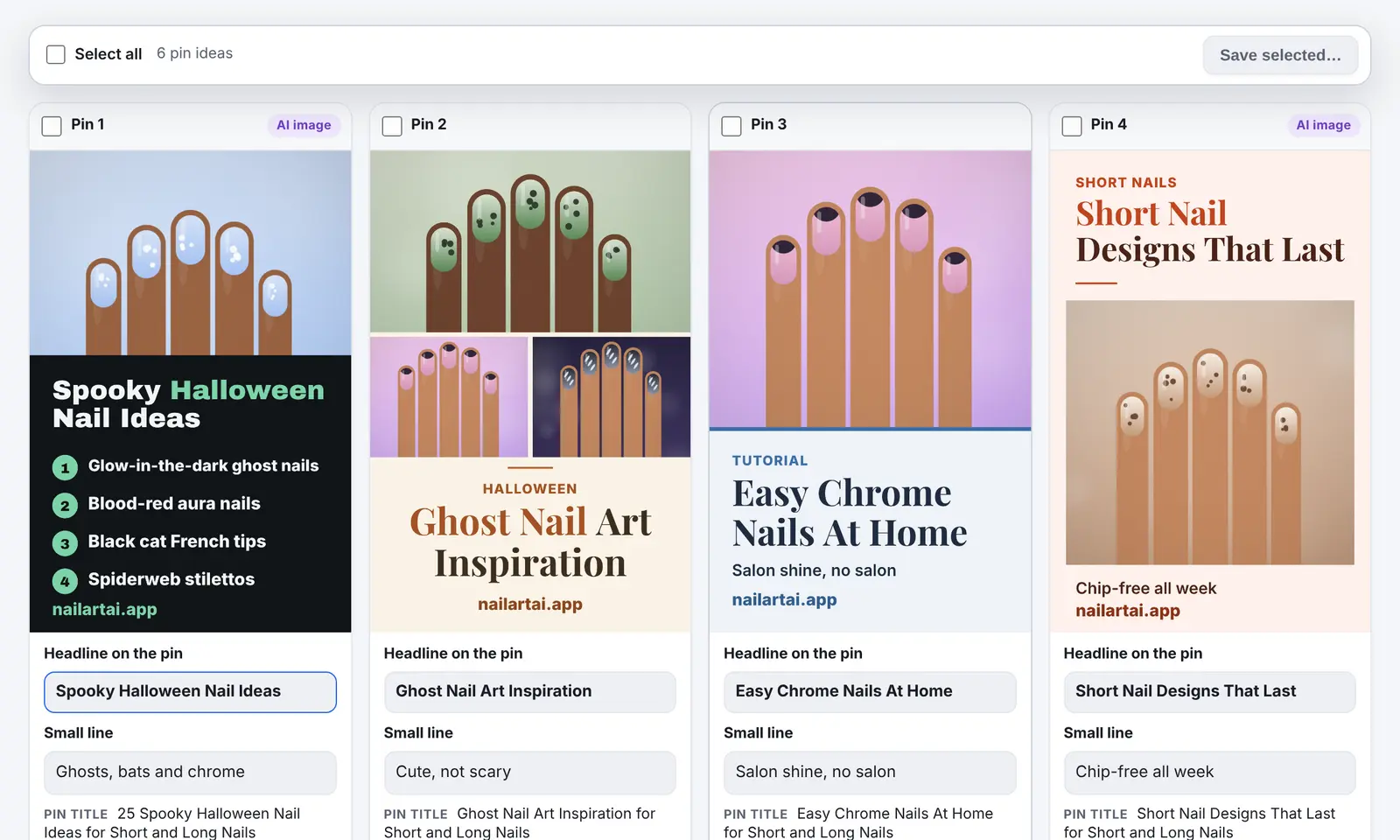
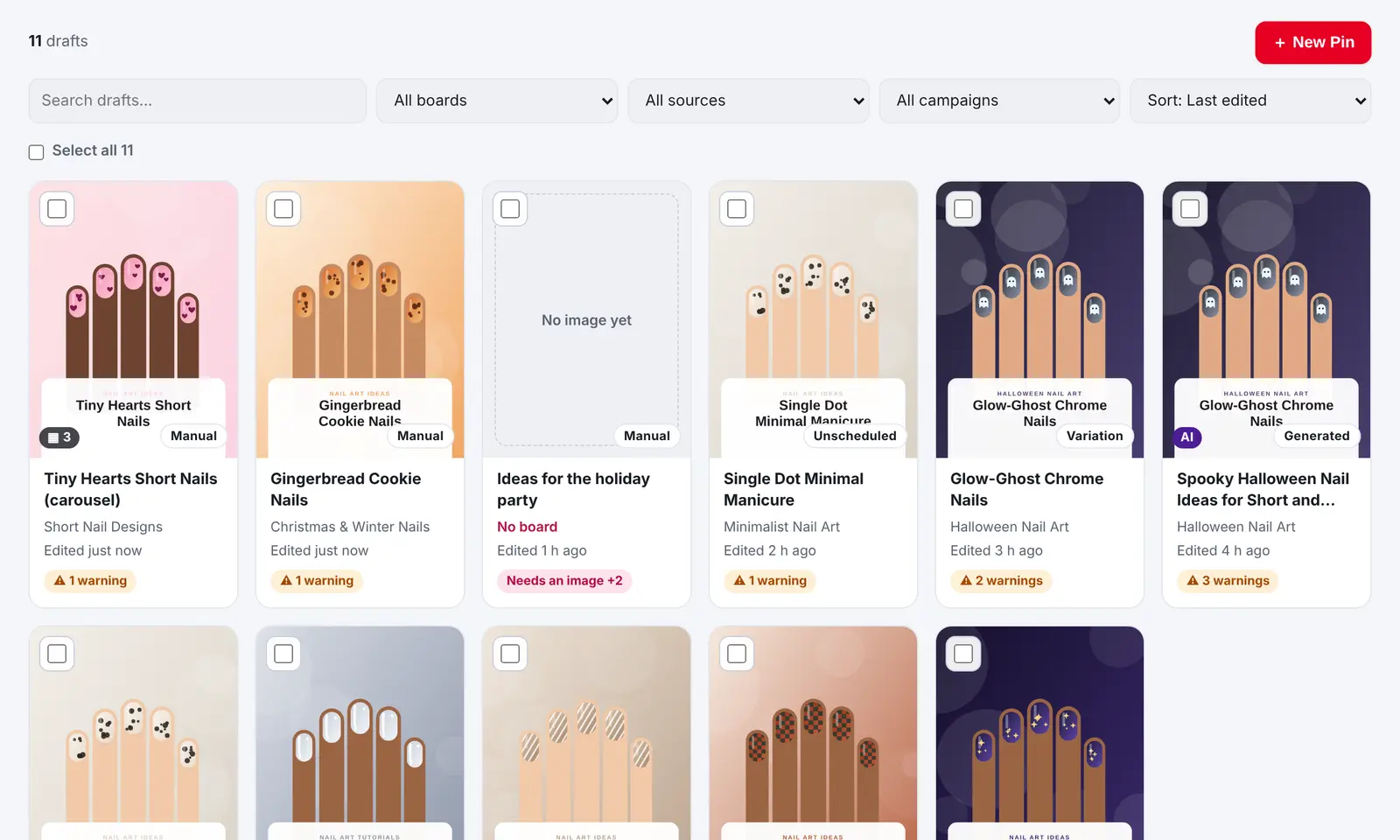
Turn one blog post into six pins
Paste a link and PostPilot reads the page, writes headlines and pin titles, and lays out six pin designs from its photos, with AI images when you want fresh ones. Edit any of them, then save the ones you like as drafts.
- Six pin designs from one link, each with its own headline and title
- Reimagine a pin you like into new versions
- AI-written titles, descriptions and alt text, for one pin or many drafts at once
- Pins made with AI carry Pinterest’s AI label
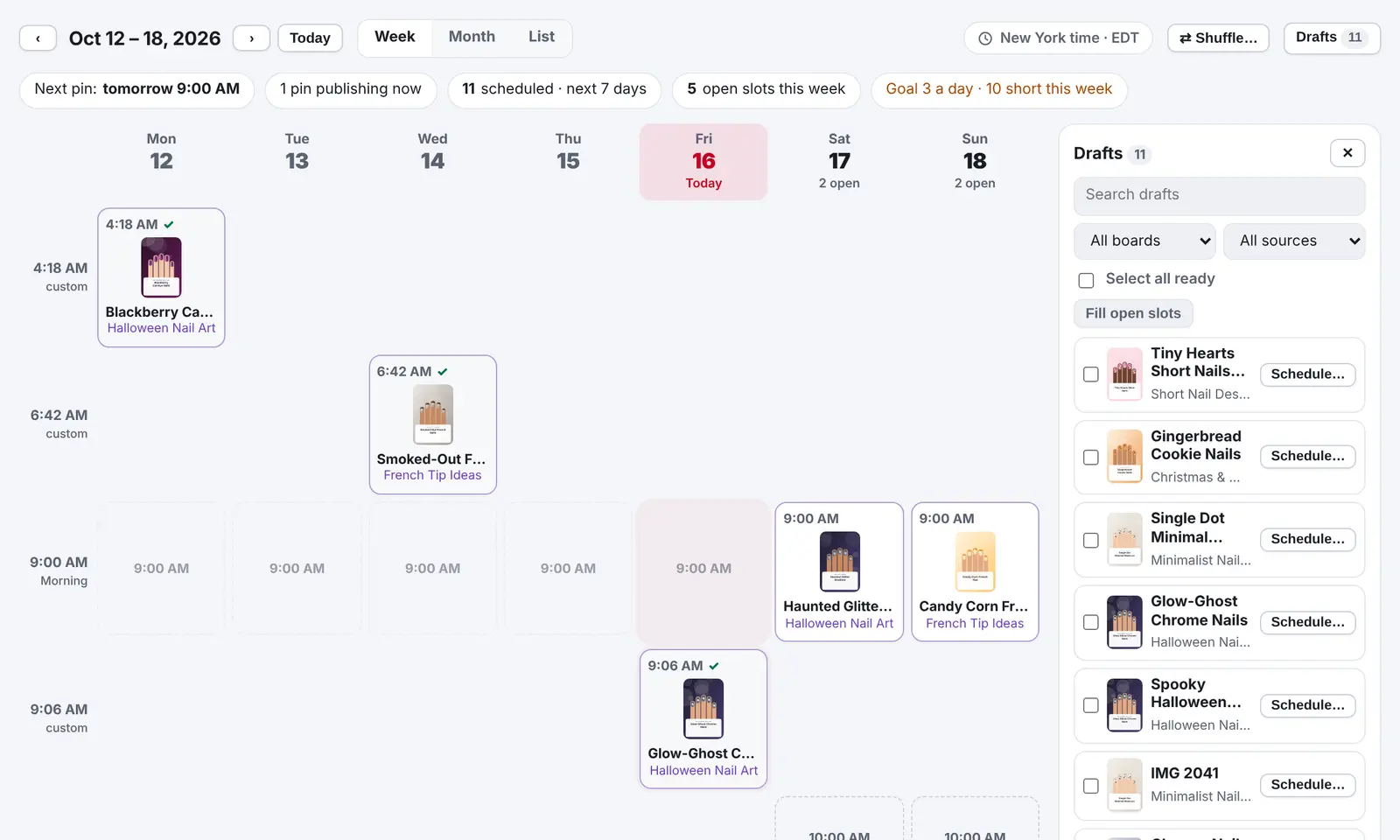
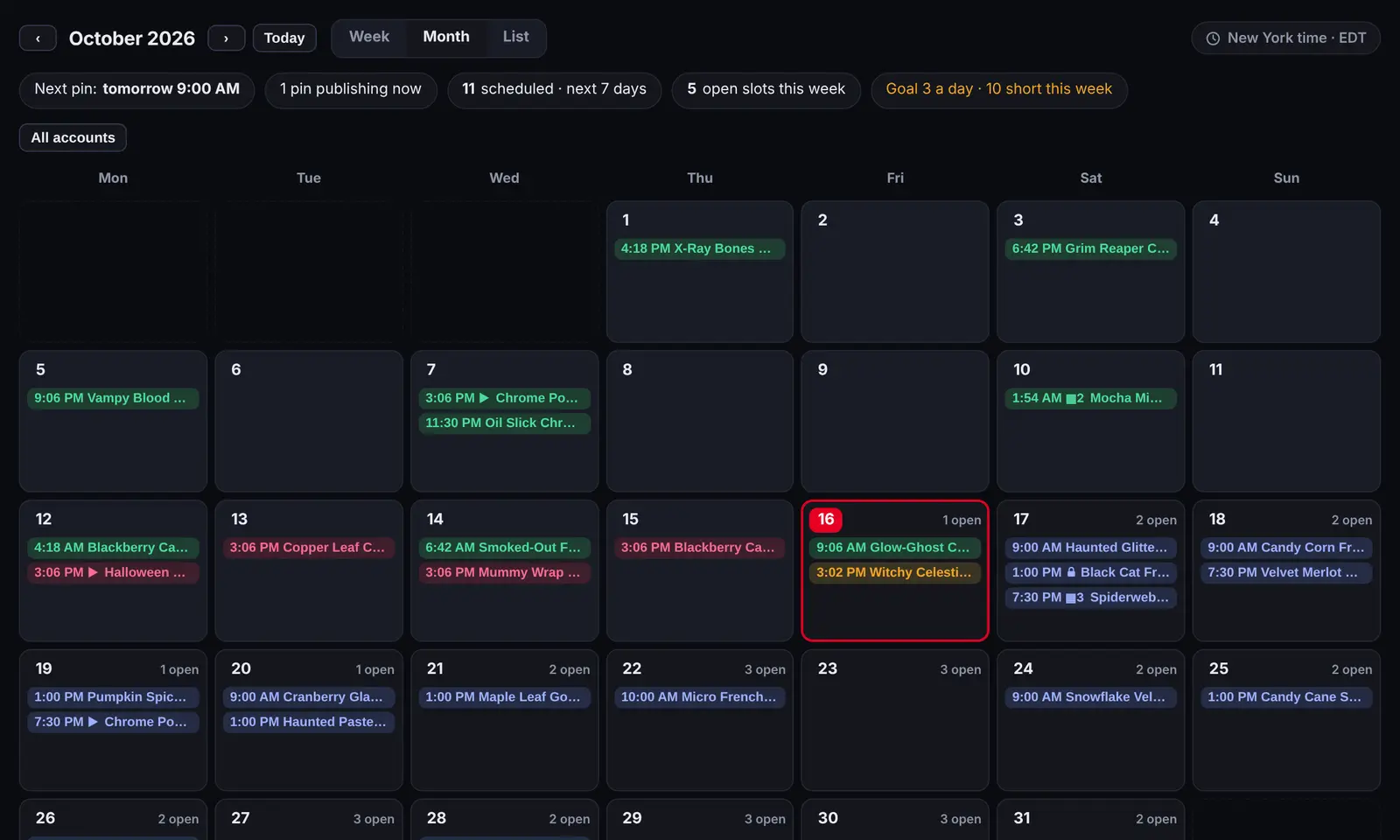
See every scheduled pin on one calendar
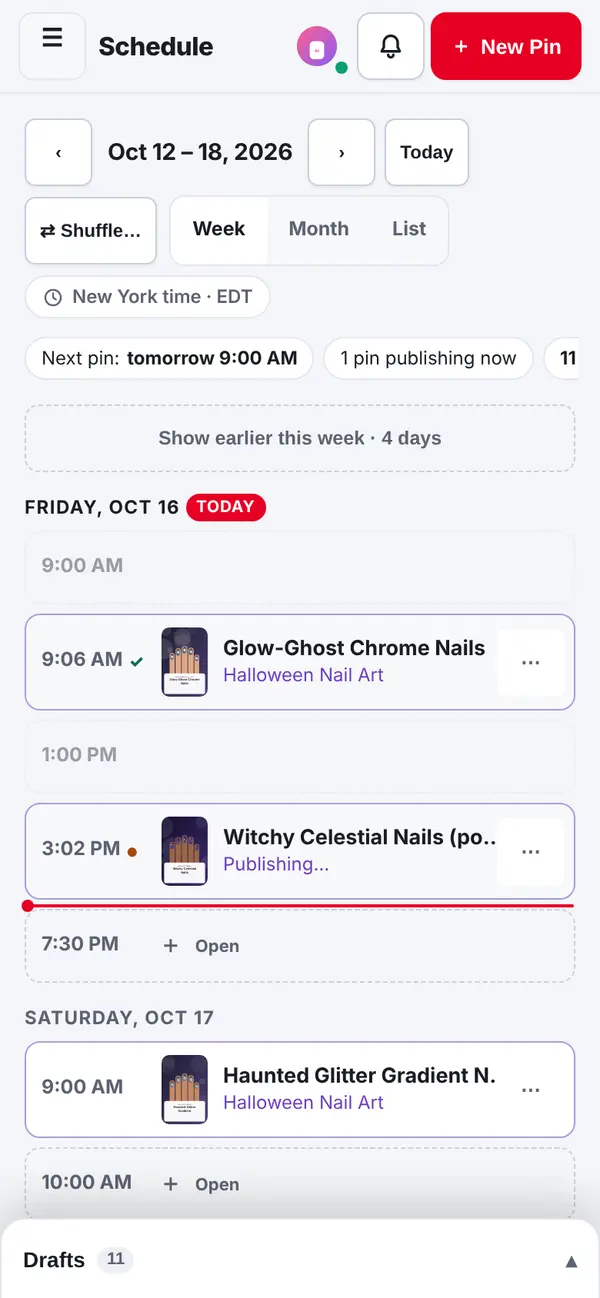
Switch between a week and month view of everything you have queued. Each pin shows its image, title and time, so gaps in your schedule are easy to spot.
- Drag a pin to another day or time to reschedule it
- Filter by board, campaign or source, or search by title
- Shuffle the queue to mix up boards, and lock pins that must stay put
- Select several pins to move, re-board or cancel them together
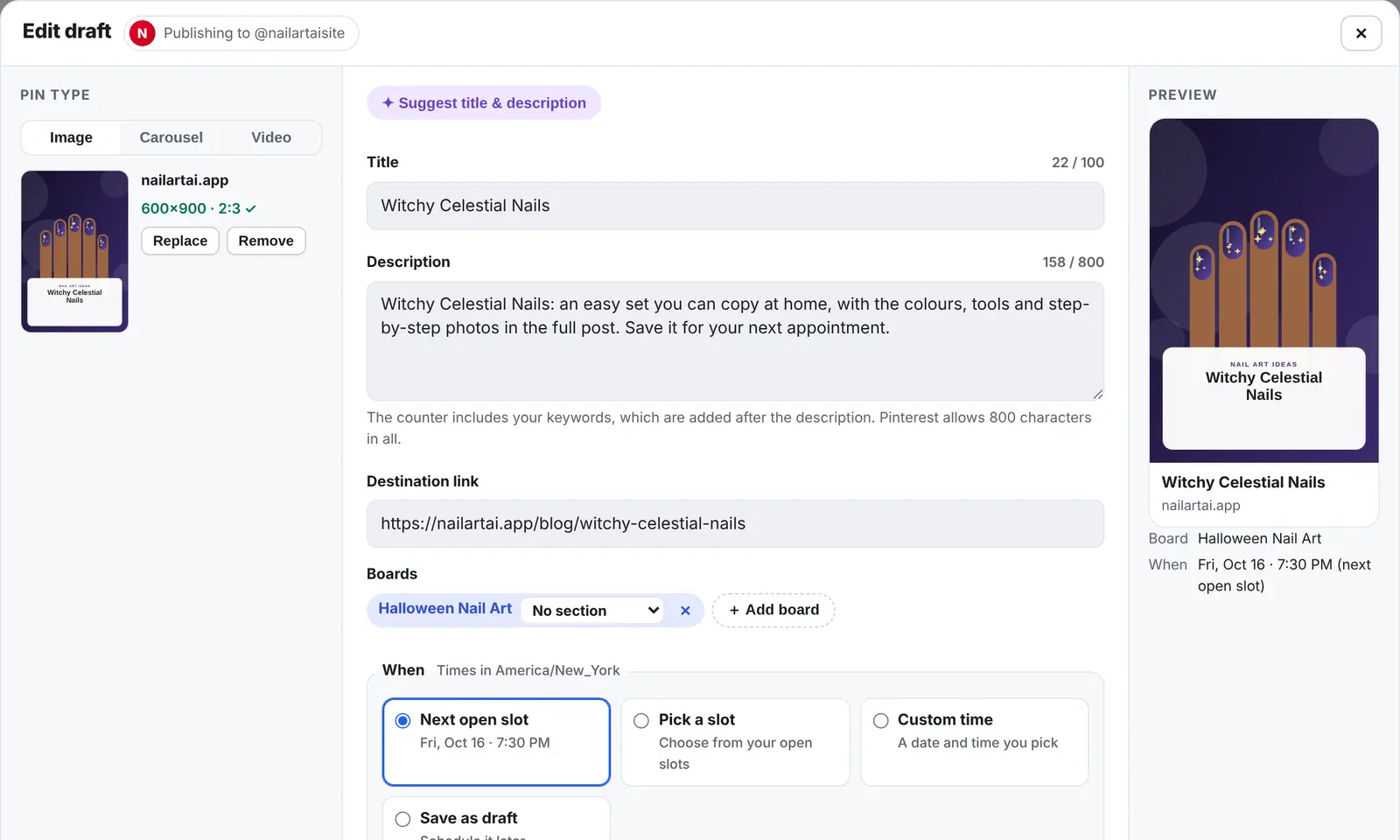
Create a pin and see it before it goes live
Write the title, description and hashtags, pick a board and section, and watch the preview update as you type. Drafts save on their own while you work.
- Upload images from your computer (PNG, JPEG, GIF or WebP up to 10 MB) or paste an image link
- Import the title, description and image from any blog post URL
- Post to several boards at once, or pick a saved board list
- Create a new Pinterest board without leaving the editor
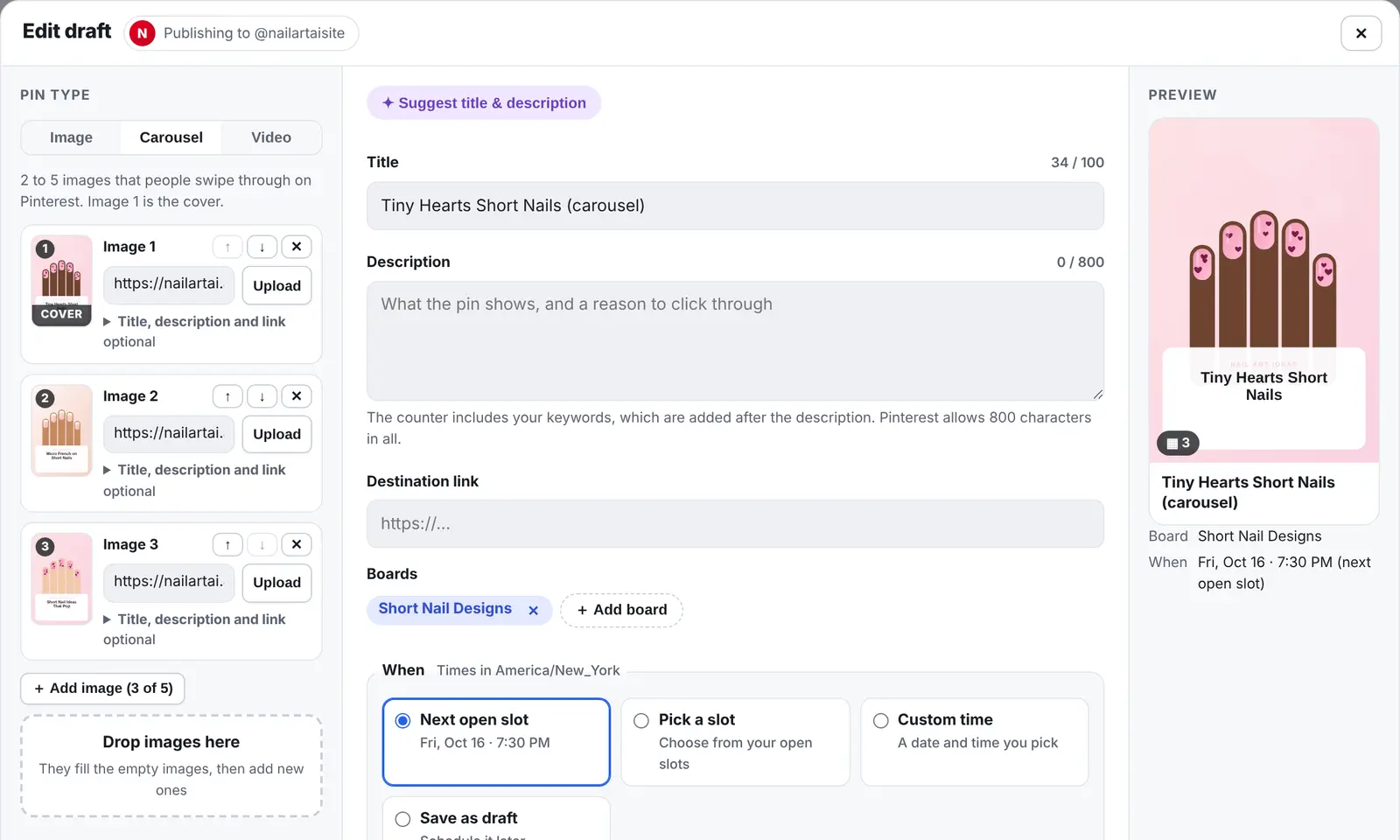
Schedule carousels and video pins too
Switch a pin to Carousel and add two to five images that people swipe through, or upload a video with a cover image. They go on the same calendar as your image pins and publish the same way.
- Two to five images per carousel, each with its own title and link
- MP4 or MOV videos up to 100 MB
- PostPilot waits until Pinterest has finished processing a video before it posts
- Video views, watch time and saves in Insights
Schedule a month of pins from one CSV file
Drop in a spreadsheet with up to 500 rows. PostPilot maps your columns, flags problems row by row, and only lets you schedule once every row is valid. The whole file is saved in one step, so a mistake never leaves half an import behind.
- Per-row board, destination link, alt text, keywords and publish time
- Rows without a time fill your next open posting slots
- Keep anything you are not ready for as a draft
- Comma, semicolon and tab separated files all work
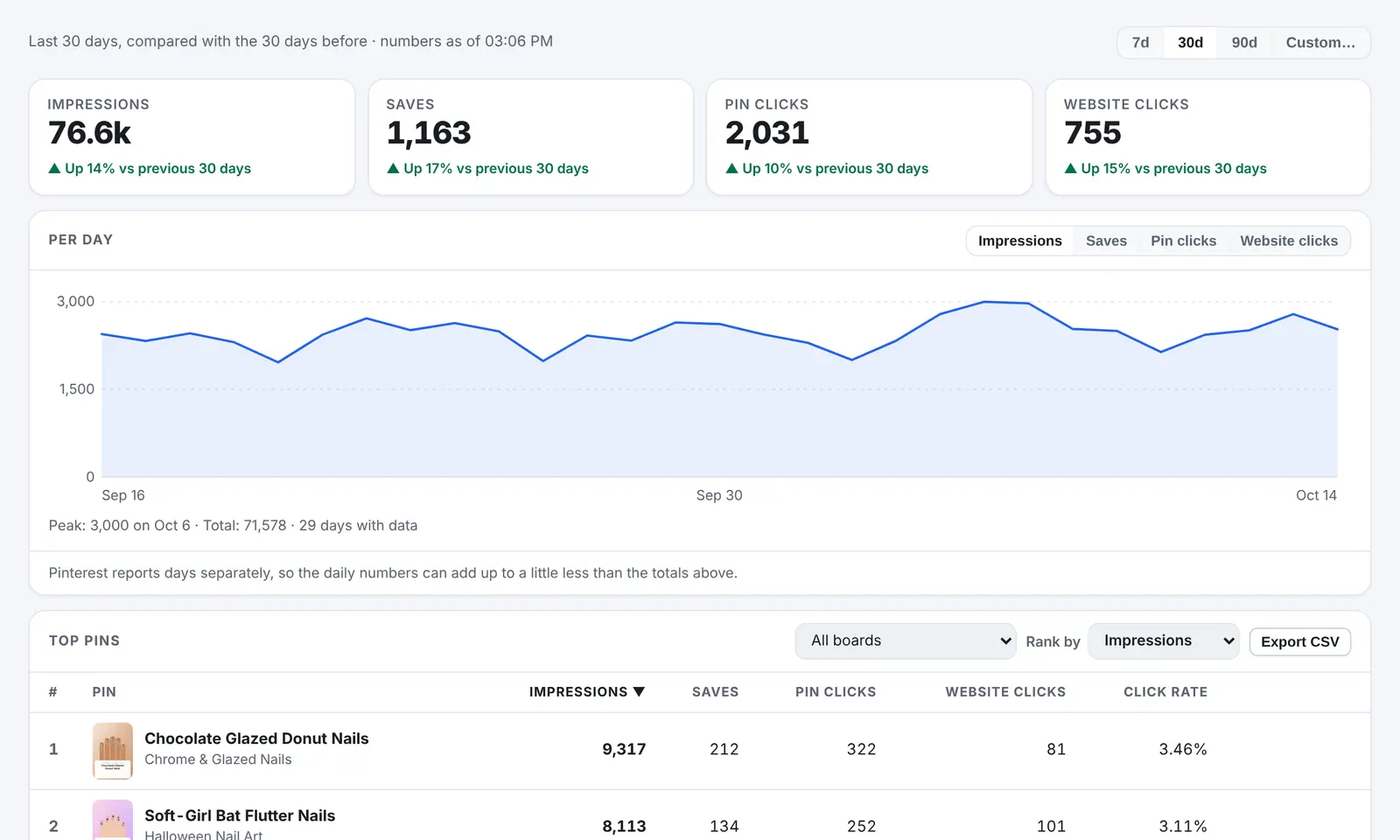
Find out which pins bring traffic
Insights pulls your numbers straight from Pinterest: impressions, pin clicks, outbound clicks and saves for the last 7, 30 or 90 days or any dates you pick, compared with the period before.
- Top pins ranked by clicks, saves or impressions, ready to export as CSV
- Board and website breakdowns
- A daily chart with the exact value on hover
- An activity log of everything published, edited or deleted
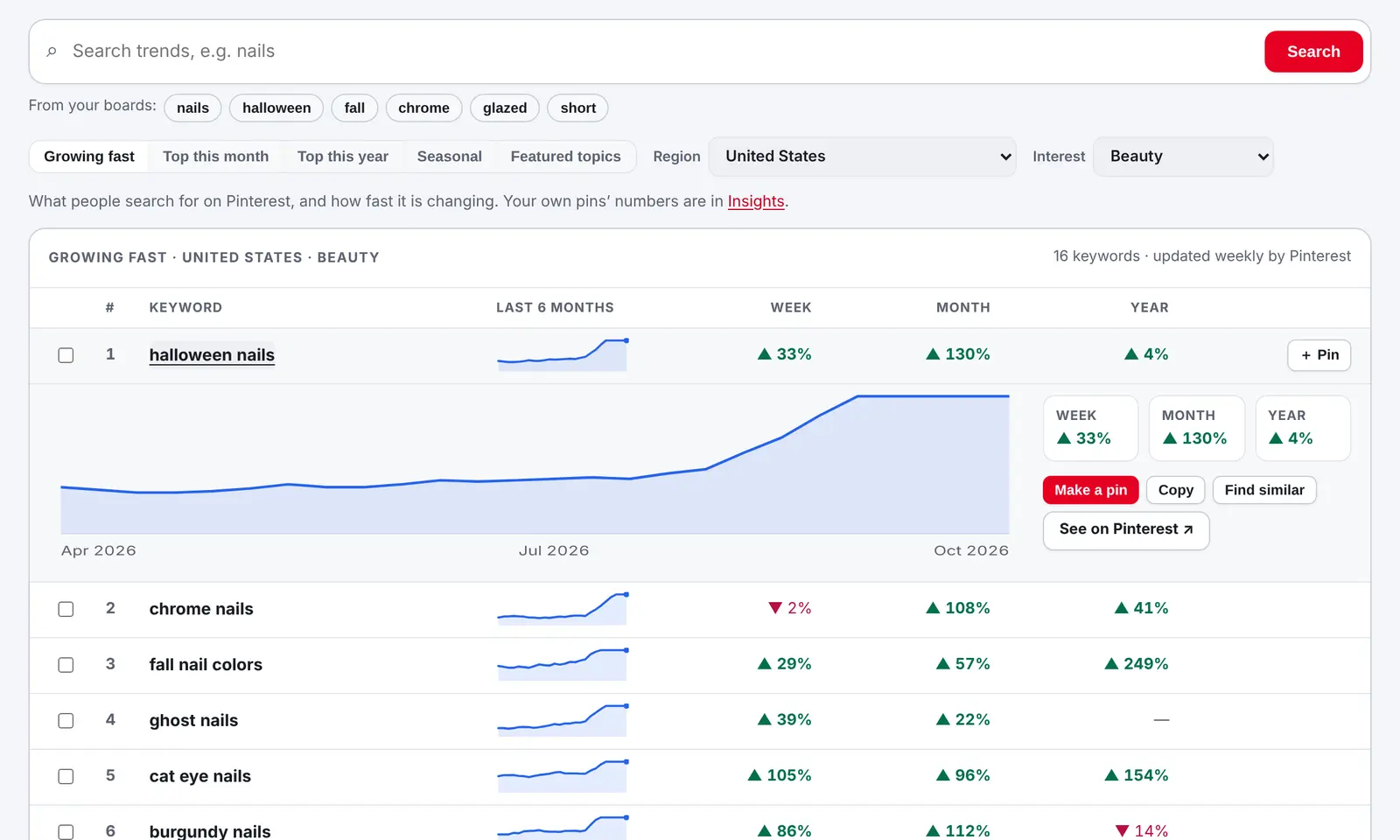
Pin what people are searching for right now
Search what people look for on Pinterest and see how fast it is growing: week, month and year change and a six-month chart. Trends starts on your niche, read from your boards, and one click turns a keyword into a pin.
- Search trends for your own words, such as “nail art”
- Growing, monthly, yearly and seasonal trends by country and interest
- Breakout searches flagged, sortable by growth
- Featured topics Pinterest is promoting, with related searches
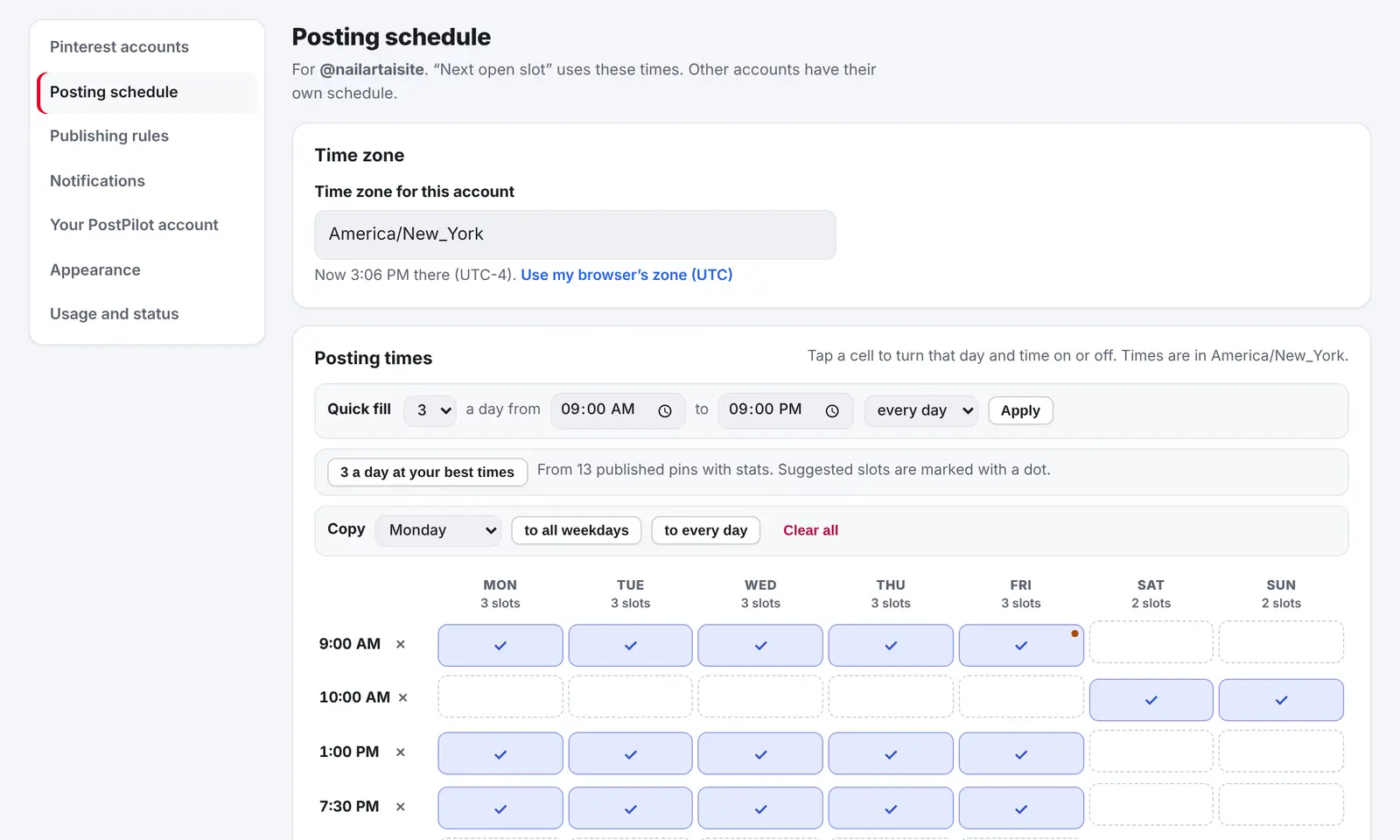
Set your posting times once
Choose the times you want pins to go out on each day of the week. New pins drop into the next free time automatically, and a daily goal shows whether you are on pace.
- Different times for each weekday, in your own time zone
- Pins are always spaced out per account
- Publish now when something cannot wait
The small things that save time every week
Multiple Pinterest accounts
Connect up to five accounts to one login and switch between them in a click.
Edit published pins
Change the title, description, link or board of a pin that is already live, or delete it.
Board sections
Schedule straight into a board section, not just the board.
One calendar for every account
Turn on All accounts to see every account's pins together, each marked with its own colour.
Made with AI label
Tick one box and the pin goes out with Pinterest's AI label.
Checks before you post
Get a heads-up about repeated images, links or titles, and pins with no alt text.
Clear failure handling
If Pinterest rejects a pin you see why, and can fix and retry it.
Works on your phone
The calendar, editor and insights all fit a mobile screen.
Light and dark mode
Follows your device setting, or pick one.
Built for people who use Pinterest to get traffic
Bloggers
Import a post by its URL, make a few pin variations, and spread them across your boards over the next few weeks.
Online shops
Bulk schedule product pins from a spreadsheet with each product's link, and see which ones send shoppers to your store.
Creators and agencies
Run up to five Pinterest accounts from one login, each with its own calendar, boards and posting times.
Free while PostPilot is in beta
Every feature, no card needed. You can delete your account and data at any time from Settings.
$0 during the beta
- Calendar, bulk CSV, multi-board and carousel or video pins
- Up to five Pinterest accounts on one login
- Insights, Trends and the activity log
AI tools
- Turn links into pins and reimagine pins, within a daily and monthly allowance shown in the app
- AI-written titles, descriptions and alt text
- Pins made with AI carry Pinterest’s AI label
Questions about scheduling Pinterest pins
What is PostPilot?
PostPilot is a Pinterest scheduler. You plan pins on a calendar, set the times you want to post, and PostPilot publishes each pin to your Pinterest board at its time. It also shows your Pinterest analytics and trending searches in the same app.
How do I schedule Pinterest pins with PostPilot?
Sign in with Pinterest, pick your posting times in Settings (for example 9:00, 13:30 and 19:00 every day), then add pins. Each new pin goes to the next free time, or you can choose an exact date and time. You can drag pins around the calendar later.
Can I bulk schedule pins from a CSV file?
Yes. Upload or paste a CSV with up to 500 rows. PostPilot detects the columns, lets you map them, checks every row before anything is saved, and then schedules the whole file in one go. Each row can have its own board, link and time. Rows without a time can be kept as drafts or placed into your open slots.
Can one pin go to several boards?
Yes. Choose extra boards when you create a pin and PostPilot schedules a copy for each board, spaced out so they do not publish at the same moment. You can also save groups of boards as a board list and pick the list instead.
Does PostPilot work with more than one Pinterest account?
Yes. One login can connect up to five Pinterest accounts. Switch between them from the sidebar; each account keeps its own boards, calendar, posting times and insights.
Is it safe to connect my Pinterest account?
PostPilot uses the official Pinterest API and Pinterest sign-in, so you approve access on pinterest.com and never share your Pinterest login with us. Access tokens are stored encrypted. You can disconnect an account or delete your data from Settings at any time.
Will scheduling hurt my Pinterest reach?
PostPilot spaces pins at least 90 seconds apart per account and publishes a limited number per minute, so your account never posts in a sudden burst. What you post and how often is still up to you; a steady daily schedule of fresh pins is what Pinterest recommends.
Can I schedule carousel and video pins?
Yes. A carousel holds two to five images and a video can be an MP4 or MOV file up to 100 MB. Both go on the calendar like any other pin. Pinterest needs a few minutes to process a video, and PostPilot waits for that before posting it.
Is PostPilot a Tailwind alternative?
If you mainly use Tailwind to schedule pins, plan a calendar, bulk upload and check Pinterest analytics, PostPilot covers that workflow. It does not include Tailwind features such as Communities, SmartLoop or the AI design tools.
How much does PostPilot cost?
PostPilot is free while it is in beta. You only need a Pinterest account to start.
Fill your Pinterest calendar this afternoon
Connect your Pinterest account, set your posting times and schedule your first pins. It is free while PostPilot is in beta.
Continue with Pinterest